
Time-lapse photography transforms the ethereal movement of clouds into mesmerizing visual narratives, revealing patterns invisible to the naked eye and creating stunning cinematography that captivates audiences worldwide.

☁️ The Captivating Art of Cloud Time-Lapse Photography
Cloud motion time-lapse sequences have become one of the most sought-after techniques in modern photography and videography. Whether you’re documenting weather patterns, creating atmospheric b-roll for films, or simply exploring creative expression, capturing the dance of clouds offers endless possibilities. The beauty lies in transforming hours of subtle atmospheric changes into seconds of dramatic visual storytelling.
The fundamental appeal of cloud time-lapse photography stems from our innate fascination with weather and sky phenomena. Clouds constantly shift, reform, and dissolve in patterns that follow atmospheric physics yet appear almost choreographed. When compressed through time-lapse techniques, these movements reveal a hidden ballet occurring above us every moment of every day.
Understanding Cloud Movement and Atmospheric Dynamics
Before you can master cloud time-lapse sequences, understanding basic meteorology helps tremendously. Cloud movement is influenced by multiple atmospheric layers, each with distinct wind speeds and directions. High-altitude cirrus clouds might drift slowly across the frame while low-level cumulus clouds race beneath them, creating complex layered motion that adds depth to your sequences.
Wind speed at different altitudes determines how quickly clouds traverse your frame. Surface winds might blow at 10 mph while jet stream winds at 30,000 feet can exceed 200 mph. This vertical wind shear creates the dynamic, multi-directional movement that makes cloud time-lapses so visually compelling.
Types of Clouds and Their Photographic Characteristics
Different cloud formations offer distinct visual opportunities for time-lapse work. Cumulus clouds with their well-defined edges and vertical development create dramatic sequences, especially during their formation and dissipation phases. Stratocumulus layers provide textured blankets that roll across the sky in waves, while cirrus clouds paint delicate brushstrokes that evolve slowly but gracefully.
Storm clouds, particularly cumulonimbus formations, deliver the most dramatic footage but require careful safety considerations. The towering structure of thunderheads, their rapid vertical development, and the interplay of light during golden hour create time-lapse sequences that command attention.
Essential Equipment for Cloud Time-Lapse Photography
Successful cloud time-lapse work begins with proper equipment selection. While you don’t need the most expensive gear, certain tools significantly improve your results and workflow efficiency.
Camera Requirements and Settings
Any camera capable of intervalometer functionality can produce cloud time-lapses. Modern mirrorless cameras and DSLRs excel at this work, offering manual exposure control and robust battery life. Your camera should allow you to lock exposure, white balance, and focus to maintain consistency across hundreds or thousands of frames.
Sensor size matters less than reliability for time-lapse work. Full-frame sensors provide better low-light performance for sunrise and sunset sequences, but APS-C and Micro Four Thirds cameras deliver excellent results while offering lighter weight and often better battery efficiency.
Lenses for Cloud Photography
Wide-angle lenses between 16mm and 35mm (full-frame equivalent) work best for cloud time-lapses. They capture expansive sky coverage while including foreground elements for context and scale. Ultra-wide lenses below 16mm create dramatic perspectives but can make clouds appear too distant and their movement less pronounced.
Prime lenses often outperform zooms in sharpness and light transmission, though modern zoom lenses have narrowed this gap considerably. More importantly, choose lenses with minimal distortion and excellent contrast to render cloud details crisply against the sky.
Stabilization and Support Systems
A sturdy tripod is non-negotiable for time-lapse photography. Even slight movement between frames creates jarring results in the final sequence. Choose tripods rated for significantly more weight than your camera system, especially when working in windy conditions where cloud movement is often most dramatic.
Motorized pan-tilt heads add another dimension to cloud time-lapses by introducing controlled camera movement. These devices slowly rotate or tilt your camera during the sequence, creating kinetic interest beyond the cloud motion itself. However, they’re not essential for beginners and add complexity to the workflow.
🎥 Mastering Interval and Duration Calculations
The interval between shots and total shooting duration determine the character of your time-lapse. These calculations require balancing desired final video length, cloud speed, and the frame rate of your output video.
Calculating Shooting Intervals
For typical cloud movement, intervals between 3 and 10 seconds work well. Fast-moving storm clouds might require 2-3 second intervals to capture smooth motion, while slow-drifting high-altitude clouds might need 8-10 second intervals. Shorter intervals create smoother motion but generate more images to process and larger file sizes.
A useful formula: For a final video at 24 or 30 frames per second, multiply your desired video length in seconds by the frame rate to determine total images needed. Then multiply that number by your shooting interval to calculate shooting duration. For example, a 10-second final clip at 24fps requires 240 images. At 5-second intervals, you’ll shoot for 20 minutes.
Duration and Patience
Cloud time-lapse photography demands patience. Dramatic sequences often require 1-3 hours of continuous shooting. Storm development sequences might need 4-6 hours to capture the full lifecycle. Always bring backup batteries, memory cards, and weather protection for extended sessions.
Exposure Techniques for Consistent Results
Maintaining consistent exposure across your entire sequence presents one of the biggest challenges in time-lapse photography. Changing light conditions, especially during sunrise and sunset, can create flicker or uneven brightness between frames.
Manual Mode Mastery
Always shoot in full manual mode, locking aperture, shutter speed, and ISO. Automatic modes adjust exposure between frames, creating the dreaded flicker effect. Start by metering for the brightest part of your sequence timing, then reduce exposure slightly to protect highlights in clouds and sky.
For sequences spanning major lighting changes like sunset, you’ll need to use graduated neutral density filters, accept some exposure variation, or employ advanced ramping techniques using external intervalometers that gradually adjust settings during shooting.
The Aperture Sweet Spot
Shoot between f/8 and f/11 for optimal sharpness across your frame. These apertures provide excellent depth of field for incorporating foreground elements while maintaining cloud detail. They also help reduce diffraction that occurs at very small apertures like f/16 or f/22.
Composition Strategies for Dynamic Cloud Sequences
Composition makes the difference between ordinary and extraordinary cloud time-lapses. Empty sky rarely captivates viewers as effectively as thoughtfully composed scenes that use clouds as one element within a broader visual narrative.
Incorporating Foreground Elements
Strong foreground subjects provide context, scale, and visual anchors for your cloud movement. Trees, buildings, mountains, or architectural elements create stationary reference points that emphasize cloud motion by contrast. Position these elements using rule-of-thirds principles, placing them in the lower third of your frame to leave ample room for sky drama.
Silhouettes work particularly well, especially during golden hour when backlit subjects create graphic shapes against colorful skies. Choose recognizable forms—lone trees, distinctive buildings, or interesting terrain features—that immediately communicate location and mood.
Directional Movement and Flow
Consider cloud movement direction when framing your shot. Clouds moving diagonally across the frame create more dynamic sequences than clouds moving straight left-to-right. Position your camera so cloud movement leads the eye toward your main subject or creates visual tension by appearing to flow around obstacles.
⚡ Weather Reading and Timing Your Shoot
Successful cloud time-lapse photography requires reading weather patterns and timing your shoots for optimal conditions. Not all cloudy days produce compelling footage.
Ideal Weather Conditions
Partly cloudy days with distinct individual clouds offer more visual interest than uniformly overcast skies. Look for days when weather fronts are moving through, creating evolving cloud patterns rather than static coverage. Post-storm clearing often provides spectacular conditions as broken clouds reveal patches of blue sky and dramatic lighting.
Wind is your friend in cloud time-lapse work. While challenging for camera stability, moderate to strong winds create faster cloud movement that translates to more dramatic sequences. Check weather forecasts for wind speed at various altitudes, not just surface conditions.
The Magic Hours
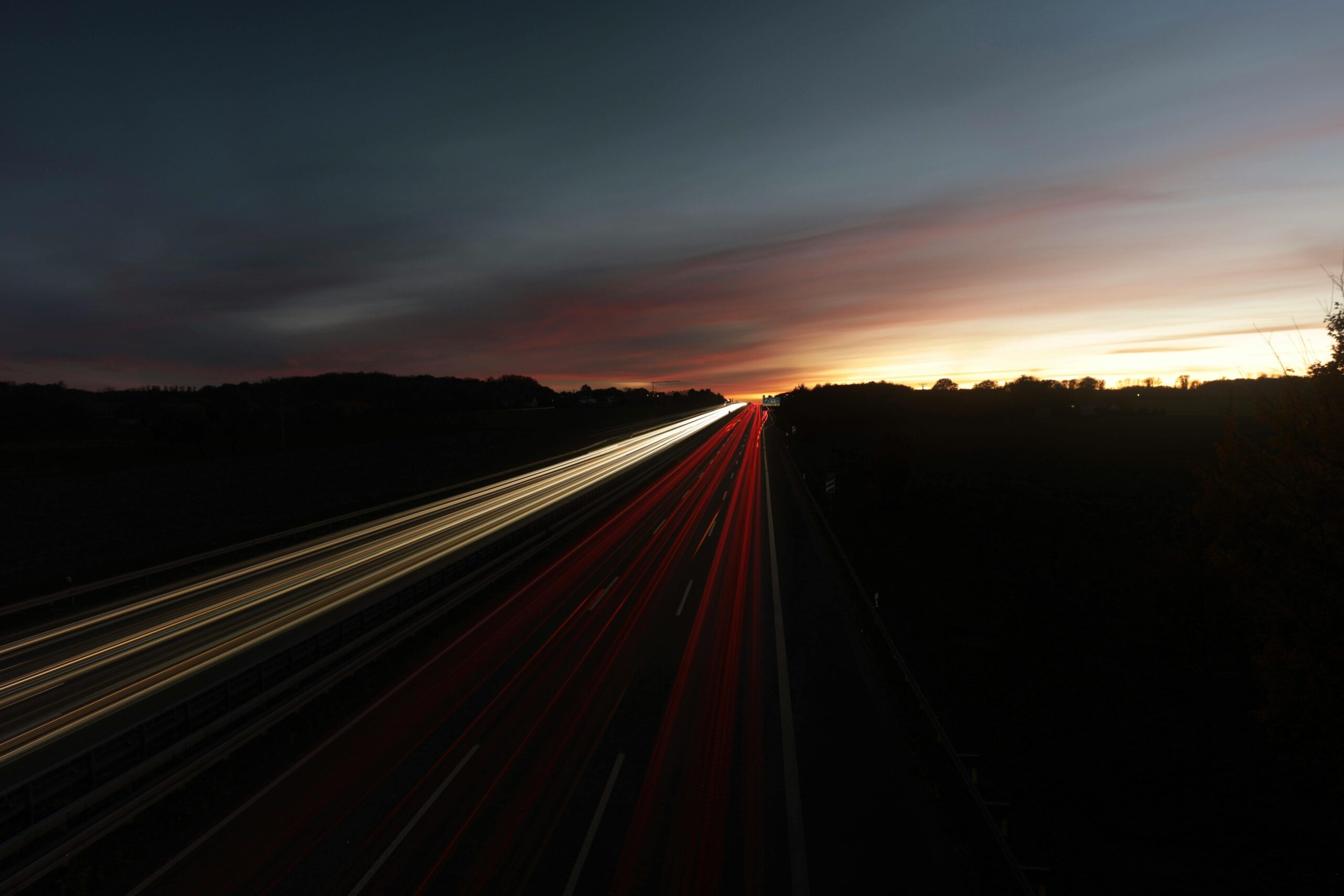
Golden hour and blue hour transform ordinary cloud formations into visual masterpieces. The warm light during these periods adds color, depth, and three-dimensional modeling to clouds. Shoot from 45 minutes before sunset until 30 minutes after for consistently beautiful lighting. Similarly, pre-dawn sessions from 45 minutes before sunrise capture the transition from night to day.
Post-Processing Workflow for Time-Lapse Sequences
Converting hundreds or thousands of still images into smooth video requires systematic post-processing. Modern workflows balance quality with efficiency.
Image Processing Fundamentals
Import your RAW files into processing software like Adobe Lightroom, where you can adjust exposure, contrast, color balance, and sharpness on one image, then sync those settings across the entire sequence. Consistency is crucial—dramatic variations between individual frames create visible pulsing in the final video.
Pay special attention to highlights in cloud details and shadows in foreground elements. Use graduated filters digitally if needed to balance exposure between bright skies and darker landscapes. Enhance cloud definition through careful contrast and clarity adjustments, but avoid over-processing that creates unnatural appearances.
Sequence Assembly
After processing, export your images as high-quality JPEGs and import them into video editing software or specialized time-lapse assembly programs. Adobe Premiere Pro, Final Cut Pro, DaVinci Resolve, and LRTimelapse all handle sequence assembly effectively.
Set your frame rate to 24fps or 30fps for smooth motion. These frame rates closely match human visual perception and create a natural feel. Higher frame rates like 60fps are unnecessary for time-lapse work and create unnaturally smooth motion that can appear artificial.
Deflicker Techniques
Even with careful shooting, subtle exposure variations can cause flicker. Specialized deflicker plugins analyze brightness variations across your sequence and smooth them algorithmically. LRTimelapse’s Holy Grail workflow specifically addresses flicker in day-to-night transitions.
🌤️ Advanced Techniques for Professional Results
Once you’ve mastered basic cloud time-lapse photography, several advanced techniques elevate your work to professional levels.
Multi-Axis Motion Control
Motorized sliders, pan-tilt heads, and multi-axis motion control systems add camera movement to your sequences. Even subtle motion—a slow push-in or gradual pan—dramatically increases production value. These movements should complement rather than compete with cloud motion, typically moving at rates that appear almost subliminal.
Hyperlapse Techniques
Hyperlapse combines time-lapse with significant camera position changes between frames. You might move your tripod 5-10 feet between shots, creating dramatic parallax effects as clouds move overhead. This technique requires careful planning and often benefits from motion-tracking software in post-production to stabilize uneven movements.
Day-to-Night Holy Grail Sequences
Capturing the transition from day to night (or night to day) while maintaining proper exposure throughout presents extreme technical challenges. Holy Grail time-lapses use ramping techniques—gradually adjusting exposure settings during shooting—to handle the massive exposure range. Specialized intervalometers automate this process, or you can manually adjust settings periodically during the shoot.
Common Challenges and Solutions
Even experienced photographers encounter obstacles in cloud time-lapse work. Recognizing common problems helps you troubleshoot effectively.
Dealing with Changing Light
Rapidly changing light conditions during partly cloudy days create exposure challenges. Passing clouds alternately shade and expose your scene, causing brightness variations. Shooting in slightly darker exposure and lifting shadows in post-processing provides more latitude than blowing out highlights. Some photographers use HDR techniques, shooting multiple exposures per interval, then merging them in post.
Wind and Camera Stability
Strong winds that create dramatic cloud movement also threaten camera stability. Use sandbags or hang weight from your tripod’s center column. Shield your camera from direct wind when possible by positioning it behind natural windbreaks. In extreme conditions, consider delaying your shoot—even the best stabilization won’t compensate for sustained wind strong enough to move your tripod.
Battery Management
Extended shooting sessions drain batteries quickly. Always bring multiple fully charged batteries. Many cameras offer external power solutions through battery grips or USB-C power delivery. For critical shoots, external USB power banks that connect to your camera ensure you never miss the perfect moment due to power depletion.
🎬 Elevating Your Cloud Time-Lapse Storytelling
Technical mastery matters, but storytelling separates memorable cloud time-lapses from forgettable ones. Think beyond simple sky documentation toward creating emotional narratives.
Building Narrative Sequences
Multiple time-lapse clips edited together tell stronger stories than standalone shots. Capture wide establishing shots showing landscape and sky, medium shots focusing on specific cloud formations, and even detail shots of clouds reflecting in water or interacting with foreground elements. Edit these together with intentional pacing and musical accompaniment.
Seasonal and Location Variations
Different seasons and geographic locations offer distinct cloud characteristics. Monsoon seasons bring dramatic storm development. Coastal areas feature marine layer fog that rolls inland. Mountain regions create orographic clouds that form and dissolve around peaks. Exploring these variations builds a diverse portfolio and keeps your creative practice fresh.
Finding Your Unique Perspective
Cloud time-lapse photography attracts countless practitioners, making unique perspective valuable. Develop a recognizable style through consistent composition choices, color grading preferences, or subject matter specialization. Perhaps you focus exclusively on storm development, or specialize in urban skylines beneath moving clouds, or document specific geographic regions throughout seasons.
Your artistic voice emerges through repetition and refinement. Study your favorite time-lapse artists, analyze what draws you to their work, then consciously incorporate those lessons while maintaining your individual perspective. Over time, your distinct approach becomes recognizable to audiences.
Sharing and Showcasing Your Work
Creating stunning cloud time-lapses deserves proper presentation. Social media platforms like Instagram and YouTube provide immediate audiences, though each platform has optimal formatting requirements. Instagram Reels and YouTube Shorts favor vertical formats and short durations, while traditional YouTube videos allow longer, more cinematic horizontal presentations.
Consider entering time-lapse competitions, submitting to stock footage agencies, or licensing your work to production companies. High-quality cloud time-lapses remain in demand for commercials, documentaries, and establishing shots in narrative films. Building a portfolio website showcases your best work professionally and provides a central location for potential clients to discover your services.
The journey to mastering cloud motion through time-lapse sequences combines technical skill, artistic vision, meteorological knowledge, and substantial patience. Each shoot teaches lessons about timing, composition, and the ever-changing atmospheric canvas above us. Whether you’re capturing the gentle drift of fair-weather cumulus or the explosive development of supercell thunderstorms, you’re documenting nature’s most accessible yet endlessly variable spectacle. With practice, proper technique, and thoughtful creative choices, your cloud time-lapses can captivate audiences while revealing the hidden choreography constantly unfolding overhead.